
If you happen to use more than one language when you work in Windows, and especially when they don’t share the same character set, chances are that you write one thing and the screen shows you another. You can then switch languages, go back, and write the text again or you can use LangOver. This tiny free tool offers you a set of hotkeys to switch between character sets and to fix common writing errors.
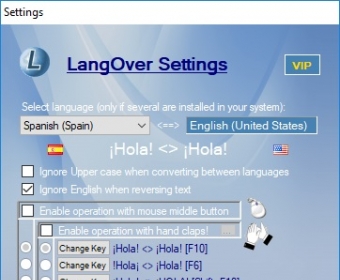
In a nutshell, and apart from changing from one character set to another quickly, LangOver lets you reverse text, convert between upper and lower cases, search for a word in Google, and translate text using Google Translator with a function key or a combination of keys of your choice. You can also define the pair of languages the program will switch between when you press F10 or the one you prefer. This flexibility is of great importance, as the program comes with some default hotkeys that may interfere with your normal work, such as Ctrl+T, which will most likely open a new tab on your browser instead of sending the selected text to Google for translation.
You can use LangOver nearly anywhere where you can type text, but this tool is not only available as a standalone software tool for your Windows – you can also check its functionality using the online version at the developer’s website, and you can download the free SDK and implement it on your website or desktop application. more






Comments